Share a Device
Share one controller with one other person when they need to help with that controller for a while. They can trigger it, edit scenes, and change its settings. They do not get the rest of the location.
For ongoing access, share the location instead. See Locations.
You can share two controllers at a time. Each one is shared with one person. They need a ShowMatic account. Use the email they sign in with.
How to Share
- Open the controller.
- Open the Cloud tab.
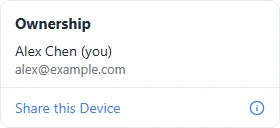
- Under Ownership, tap Share this Device.
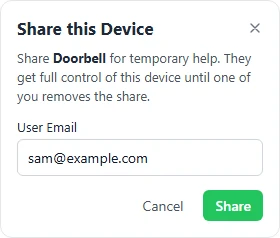
- Enter their email and tap Share.
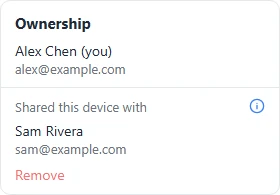
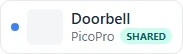
The Cloud tab then shows who you shared it with. Your device list shows a SHARED badge on that controller.
Buying licensed outputs stays with the owner.
Where they Find It
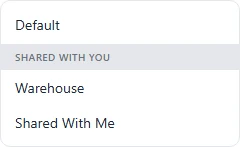
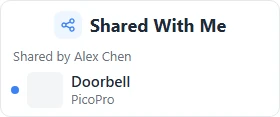
They open the location menu and choose Shared With Me. That item appears once a controller has been shared with them. Controllers are grouped by who shared them.
Removing Access
On the Cloud tab, tap Remove under their name. They can tap Leave on the same tab, or Remove Share on the Info tab.
Transferring or abandoning the controller also ends the share.
If you already have two shares, the Cloud tab tells you to remove one, or to share the location instead.